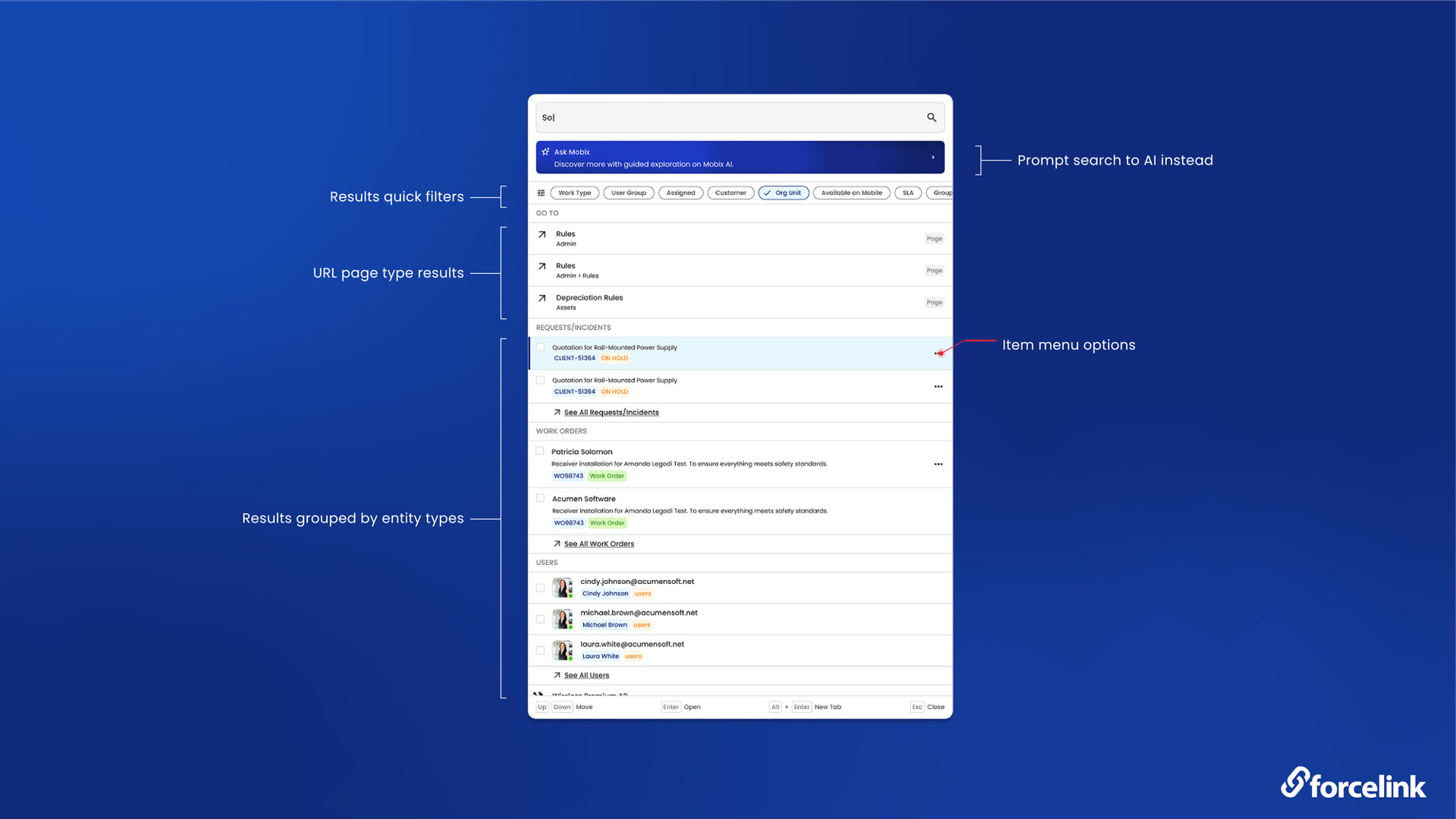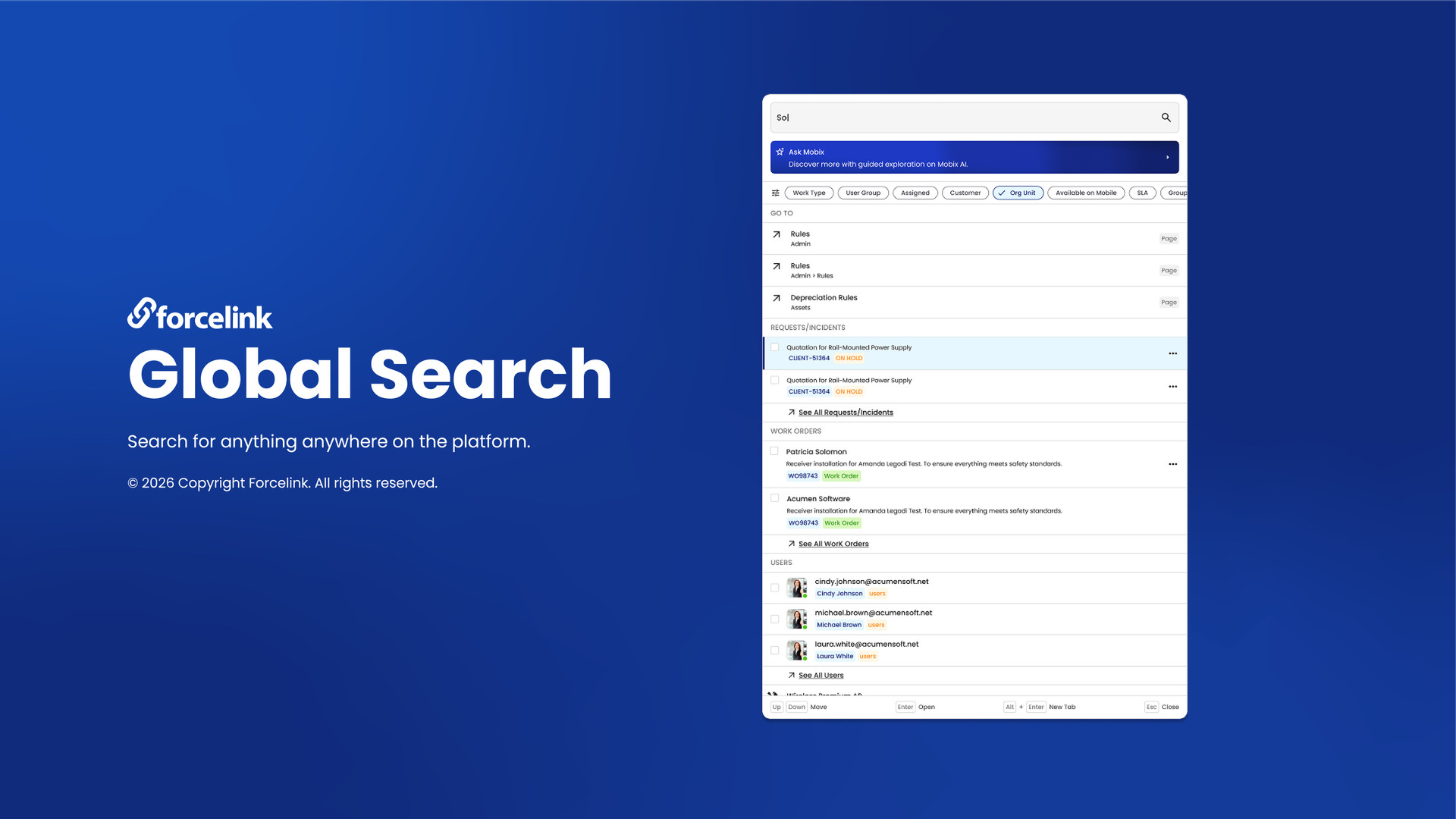
Finding the right information in a complex operational environment should be simple. That’s why we’re introducing Global Search in Forcelink - a new way to help users find records, navigate the platform and access information more easily from one place.
Global Search brings together a modern, unified search experience across Forcelink, combining intelligent record search, navigation and AI-powered assistance in one place.
Search Across Forcelink:
Global Search moves beyond searching a limited number of record types. Instead, users can search across areas of Forcelink from one central place. Simply start typing and Forcelink will surface the relevant results.
The new search experience uses contains-by-default searching, meaning users don’t need to know an exact code or remember specific search terms to find what they’re looking for. Whether you’re searching for a customer, work request, work order, asset, project or another record, Global Search makes it easier to get to the information you need.
Global Search brings together:
- Searching across multiple areas of Forcelink from one place
- Ranked results to help surface the most relevant information
- Contains-by-default searching for a simpler, more natural search experience
- Role-aware navigation suggestions
- Linked records to help users explore related information
- Object filters to narrow searches to specific areas
- Keyboard-first navigation for quicker access
- Recent records and destinations for easy access to frequently used information
More Than Record Search
Global Search isn’t only about finding records. Users can also search for pages and destinations within Forcelink, with suggestions tailored to their roles, permissions and access.
This means finding the right place in Forcelink can be just as easy as finding the right record. The result is a faster and more intuitive way to navigate the platform from one central search experience.
Search Meets AI with Mobix
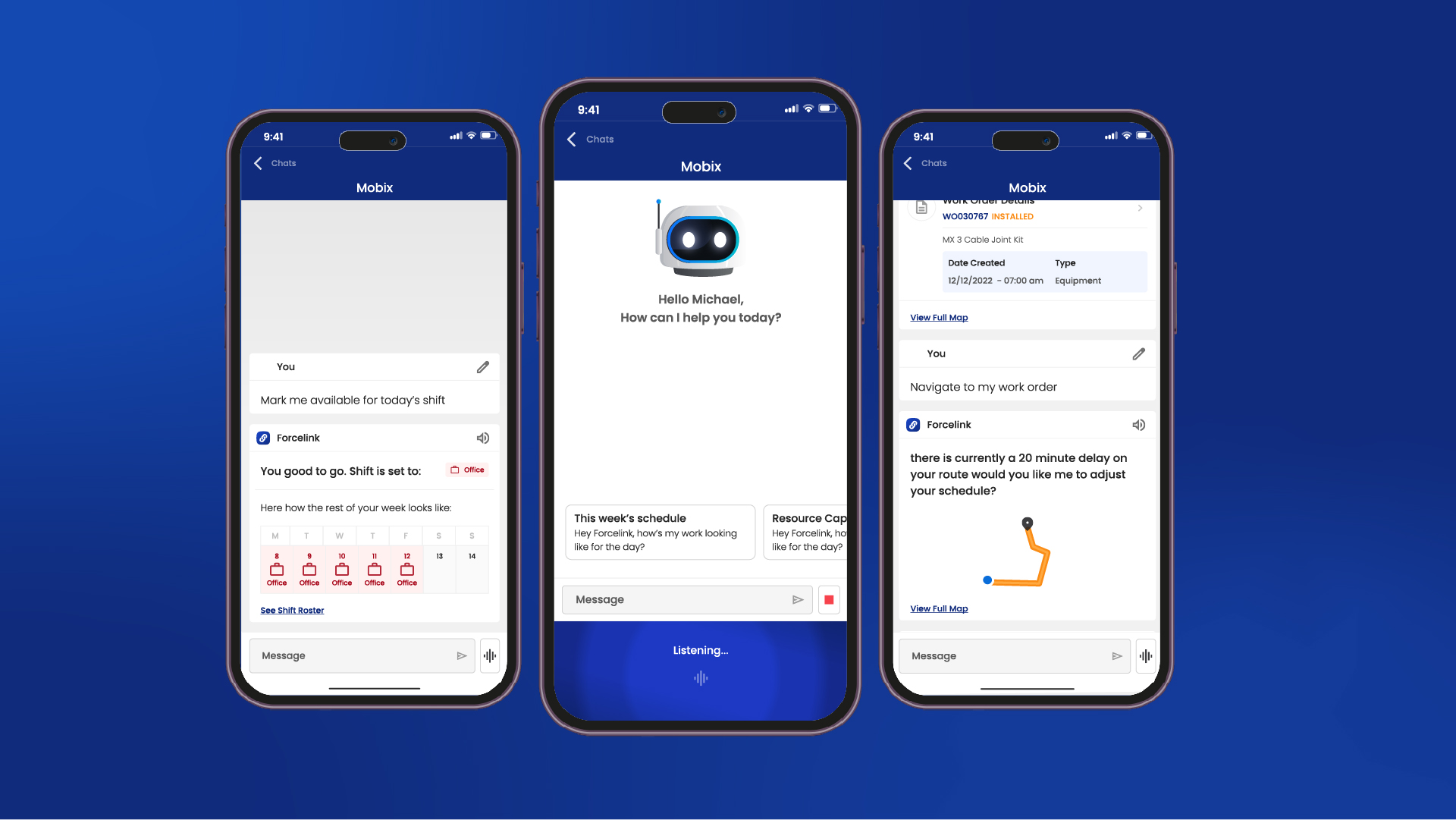
Global Search also works alongside Mobix, Forcelink’s AI assistant. Sometimes you may not know the exact name, code or record you’re looking for. In other cases, the answer may require more than a traditional search.
That’s where Mobix comes in.
Ask Mobix is integrated directly into the Global Search experience, allowing users to seamlessly take their search query and continue exploring it using natural language.
Search when you know what you’re looking for. Ask Mobix when you need help finding the answer.
Whether you’re looking for information, trying to understand something in your data, or aren’t sure where to start, Mobix provides an AI-powered way to find and explore information within Forcelink. Mobix also works within the user’s existing permissions and access controls, helping ensure AI-powered assistance follows the same security model used across Forcelink.
One Search Experience Across Forcelink
The goal is simple: make it easier to find what you need and get where you need to go.
Global Search brings records, navigation, related information and AI-powered assistance together into one intelligent experience.
Type what you’re looking for. Find it. Open it. Or ask Mobix.
Global Search is another exciting step in making Forcelink more intuitive, connected and accessible for our users.
Interested in Global Search?
If Global Search is not currently available on your Forcelink schema, contact us to find out more about enabling it.
Or, if you’d like to learn more about Forcelink and how it can support your operations, get in touch with our team.